Poster Lab
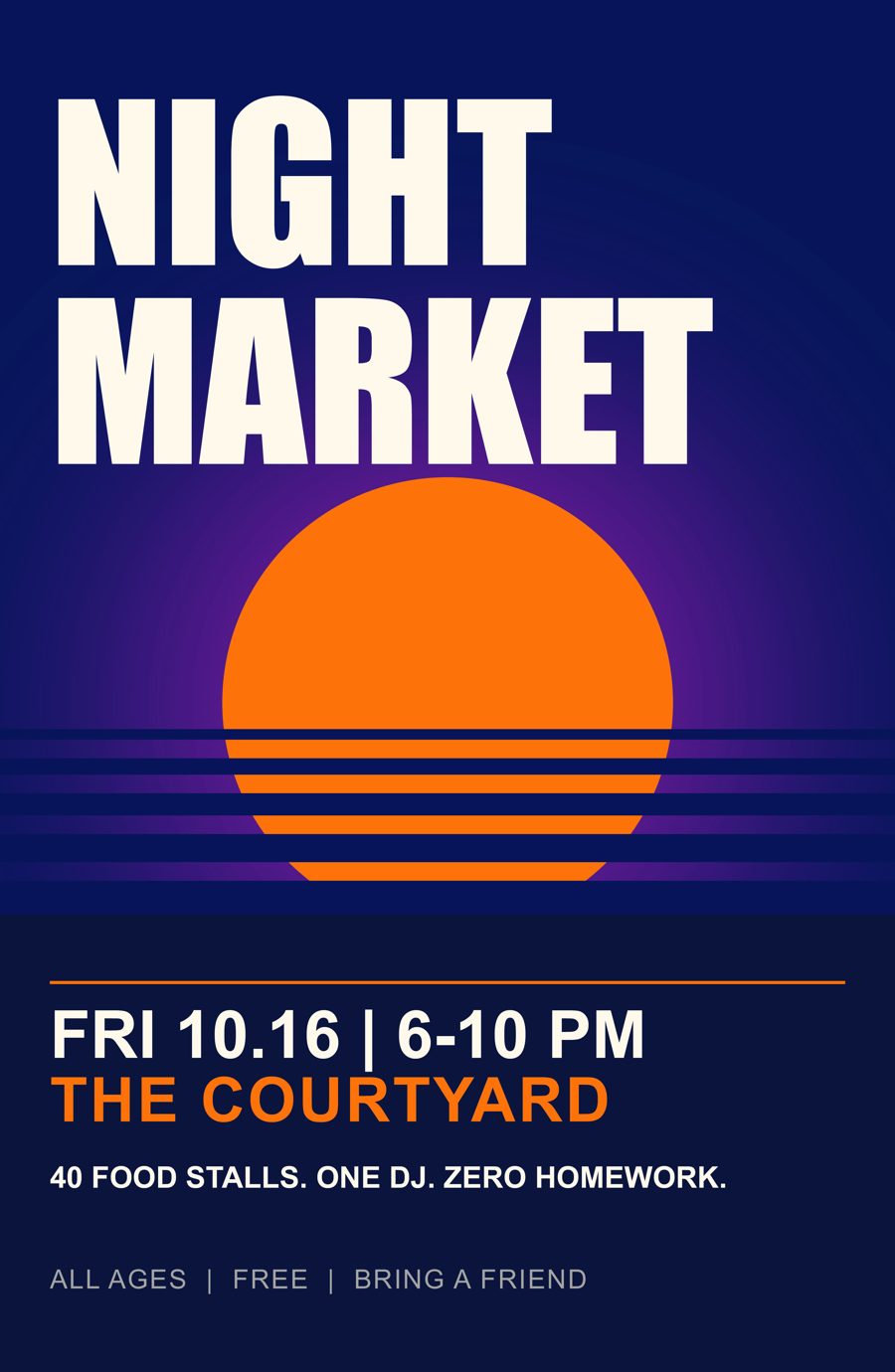
A finished poster, taken apart. Every piece lives on its own layer. Switch them on one at a time, find three planted mistakes, then make it yours.
00What done looks like
You leave with your own Photoshop file, saved under your name, that reads like a real event poster.
The event name is the biggest thing on the page and the date comes second. The place and one reason to go sit under them. Every word is still editable type. Everything that matters sits inside the safe zone, and the background runs past the trim.
Every layer has a name that says what it is. No "Layer 7 copy 2."
You're done when
- You've switched on every layer and can say what each one does
- You found all three planted mistakes
- BLEED CHECK is on and nothing important is red
- Your file is saved as
poster-lab-yourname.psd - Your own event is on it: name, date, place, one reason to go
- You've shown me your Layers panel before you leave
01Grab the files
- Download the DEMO zip. In your Downloads folder, right-click it and choose Extract All. The PSD is inside.
- Open it in Photoshop. If it asks about color profiles, click Keep.
- Find the Layers panel. Lost it? F7 brings it back.
The BLANK file is the same document with nothing on it: 11.25 × 17.25 in, 300 dpi, CMYK, trim and safe guides already set. Use it to check your own setup against.
02Build it from zero
Close every eye so the canvas goes blank. Then turn the layers back on in number order, bottom to top, and watch what each one adds.
03Find the mistakes
Turn on the MISTAKES folder, then one mistake at a time. Each one is a real way print jobs get ruined. Call it before you open the answer.
The headline moved. What happens to it once the paper gets cut?
Answer
It's outside the safe zone. Every trim is a hair off, so the edge of the M gets chopped. Keep important type inside the inner guides.
There's a second date on the page. Can you find it?
Answer
There's no contrast: navy type on a navy background. If you squint to read it on a screen, nobody reads it on a wall.
This one covers the whole poster with a new background. Ignore the middle and look at the very edge.
Answer
The background stops before the trim, so the cut leaves a white sliver. Backgrounds go all the way out to the outer edge.
04Run the bleed check
- Turn the MISTAKES folder back off.
- Turn on BLEED CHECK, the red layer near the top.
- Red means it gets cut off. Background in the red is fine, since that's what bleed is for. Words in the red are not.
- Turn it off again.
05Make it yours
- File → Save As →
poster-lab-yourname.psd. Do this before you touch anything else. - Type tool (T), click into the words, and swap in an event of your own: a name, a date, a place, one reason to go.
- Recolor the sun, then match the place line to it. Watch how the two still connect.
- Rename a layer by double-clicking its name. Keep the names honest.
- Run the bleed check one more time.
Take it apart first.
Then build your own.